
Intelligent living

Every room,
beautifully composed.

Light, climate, curtains, cinema and music, brought together in one calm, considered app for iPad and phone. Designed by Luxmore and installed by expert dealers.
Local
Runs in your home
One app
iPad & phone
Expert
Dealer installed
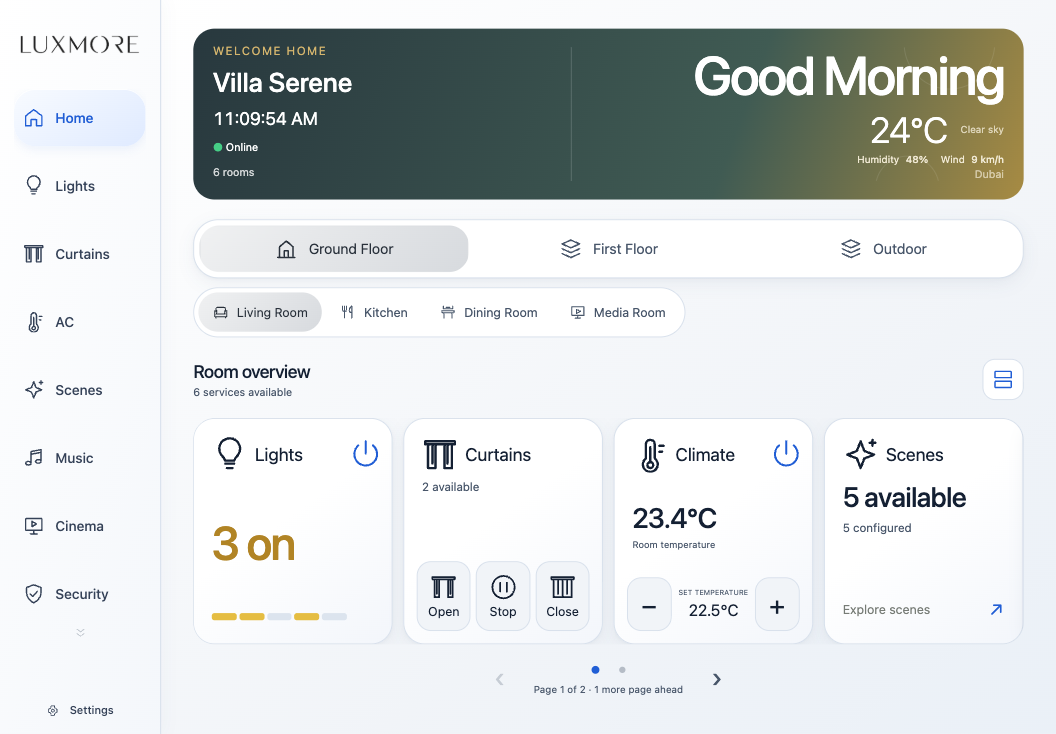
Luxmore app Home screen on iPad
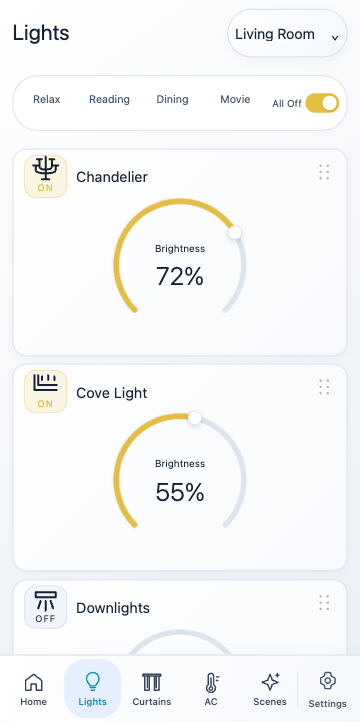
Luxmore app Lights screen on iPhone 18 Pro
Living Room
72%Chandelier
DinnerMovie

The experience

Technology that disappears.
Comfort that remains.

One touch sets the evening: lights soften, curtains draw, the air settles to your temperature and music follows you from room to room. Every Luxmore home is designed around the people who live in it.

Lighting

Dimmers, colour and scenes, shaped with a single, precise dial.

Climate

Every zone held at your perfect temperature, quietly.

Curtains

Morning light or evening privacy, at exactly the position you choose.

Cinema

Screen, sound and sources start together in one gesture.

Music

Radio and streaming in every zone, played alone or shared.

Security

Cameras, doors and access, all on the same calm screen.

The Luxmore app

Your whole home,
one beautiful screen.

Try the app: dim lights, move curtains, adjust the climate and explore your home. Every control runs in this interactive simulator.

Demo only · No equipment connected

Try a control inside the screen

Luxmore app Home screen Luxmore app Lights screen Luxmore app Curtains screen Luxmore app Climate screen Luxmore app Scenes screen

On your phone too

The same calm design, in your pocket.

The phone app shares every screen and setting with the iPad, laid out for one hand with a bottom menu that scrolls through your services.
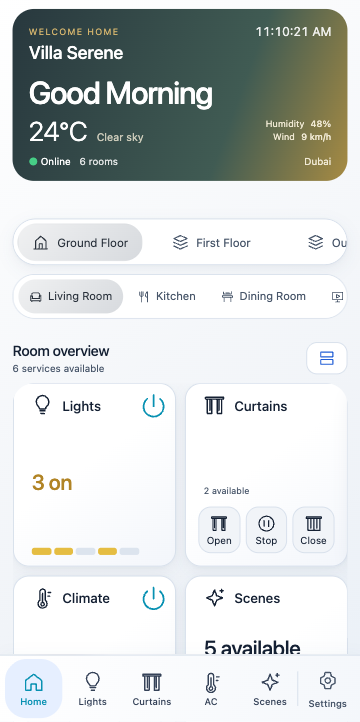
Luxmore app Home on iPhone 18 Pro
iPhone 18 Pro · 6.3″
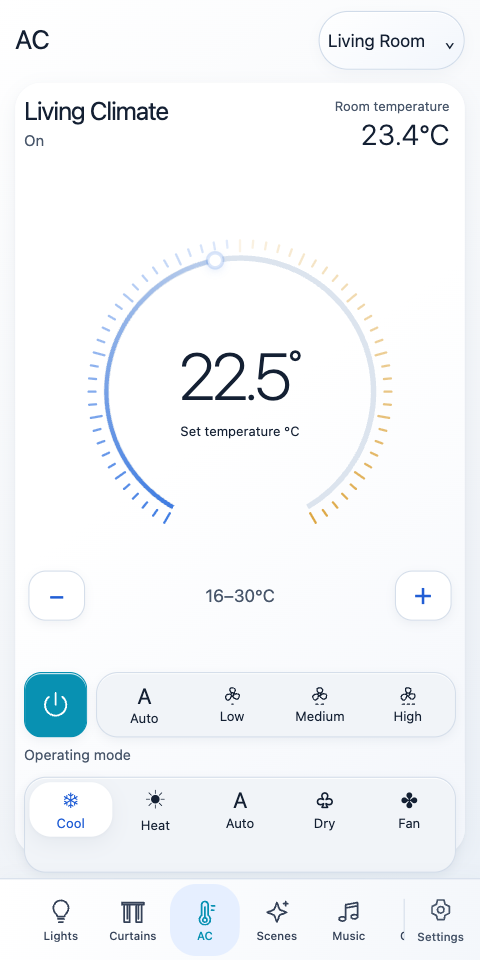
Luxmore app Climate on iPhone 18 Pro Max
iPhone 18 Pro Max · 6.9″
Luxmore app Lights on iPhone 18 Pro
iPhone 18 Pro · 6.3″

iPhone Duo

Unfold it, and the app becomes a tablet.

On the 7.6″ inner display the Luxmore app switches to its full iPad layout, with the service rail, room navigation and room overview side by side.
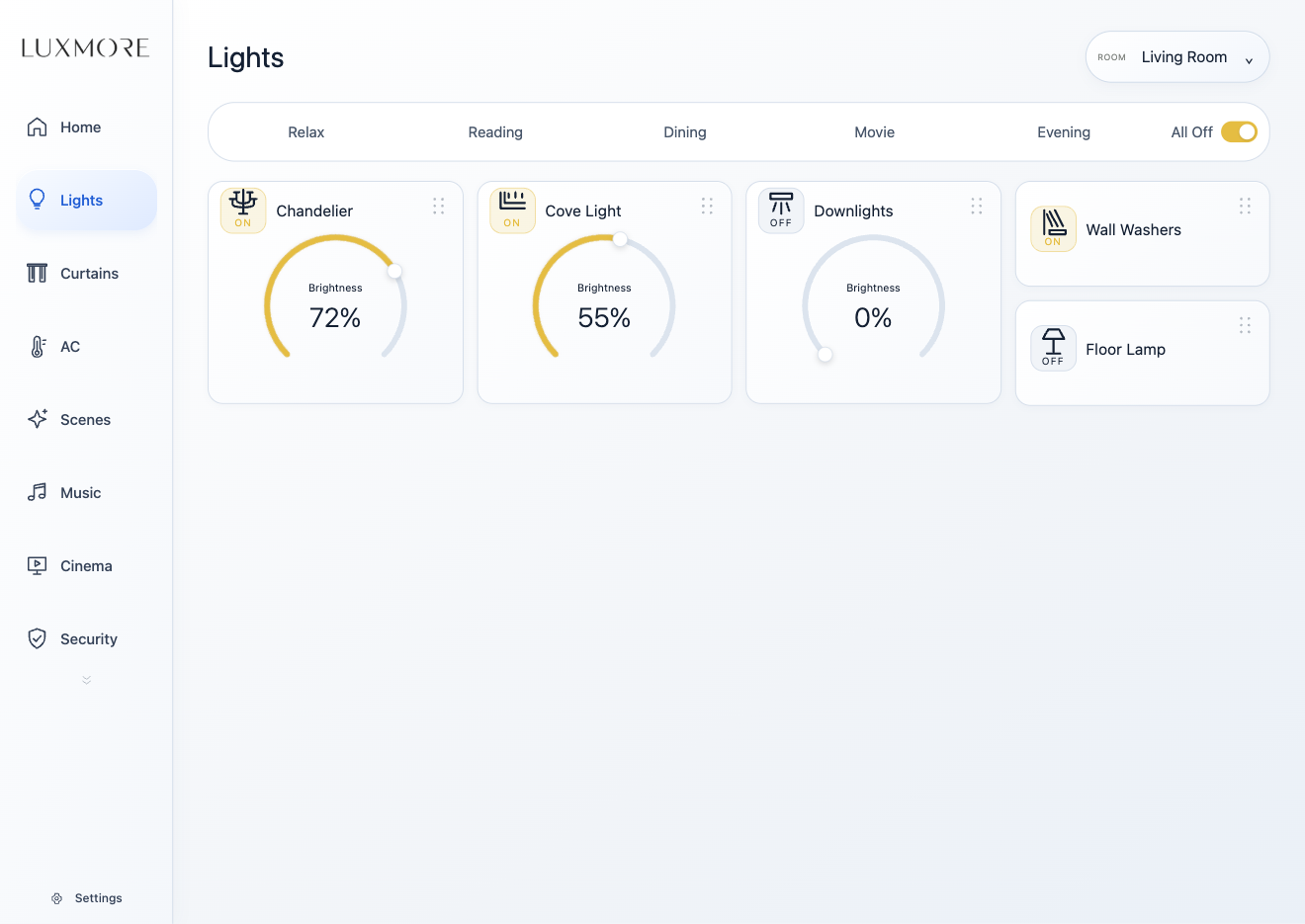
Luxmore app Lights on iPhone Duo inner display
iPhone Duo · 7.6″ inner display

Thoughtful details

Designed for everyday life.

Whole House view

See and control every floor and room together, or focus on just one.

Share music between rooms

Group zones, play the same music everywhere and set one volume for all.

Your own favourites

Each iPad keeps its own radio stations and music services.

Personal access

Each family member's phone has its own PIN, rooms and services.

Calm by default

Screens return to Home after a quiet moment; cinema pages stay open longer.

Works when offline

Everything keeps responding on your home network, internet or not.

Lighting

Light, shaped by touch.

The Luxmore dial is the heart of the app: a 270° arc that responds to the lightest movement. Recall a scene, or drag to find exactly the right glow. Try it here.

65%Pendant · Living

Climate

The perfect temperature, room by room.

Cooling22.5°Room 23.4°

Curtains

Draw the light exactly where you want it.

Cinema & Music

Press play.
The room does the rest.

Choose a source and Luxmore powers the screen, sets the sound and dims the lights in sequence. Music plays in every zone, alone or shared across the house, with your favourite radio and streaming services a tap away.
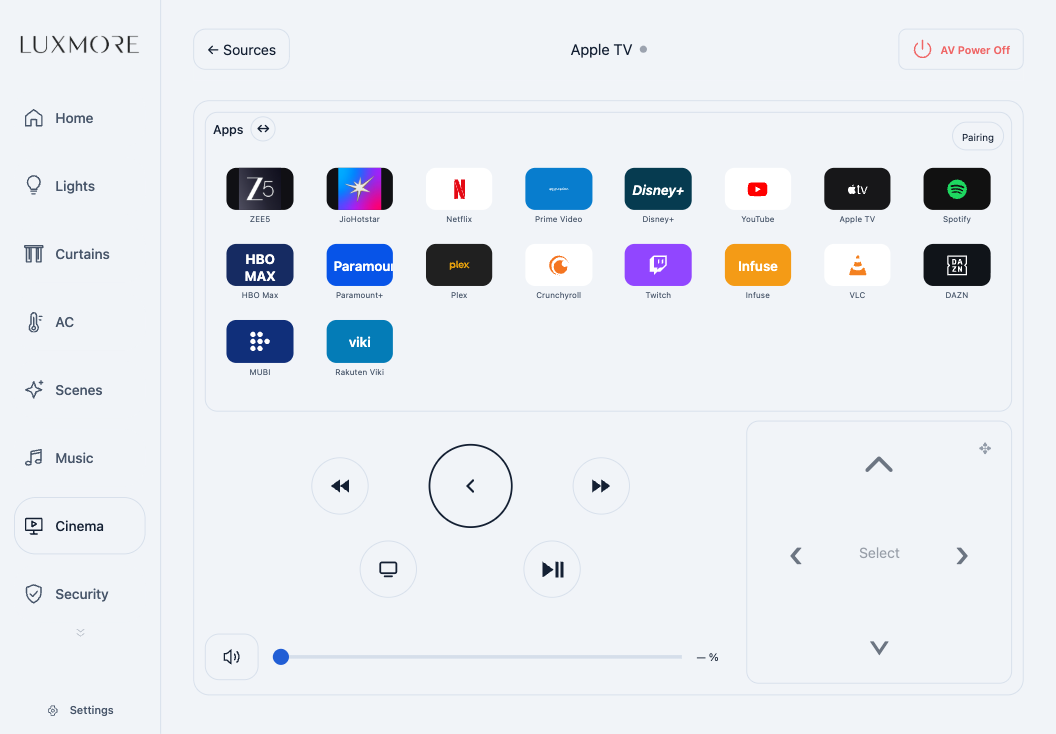
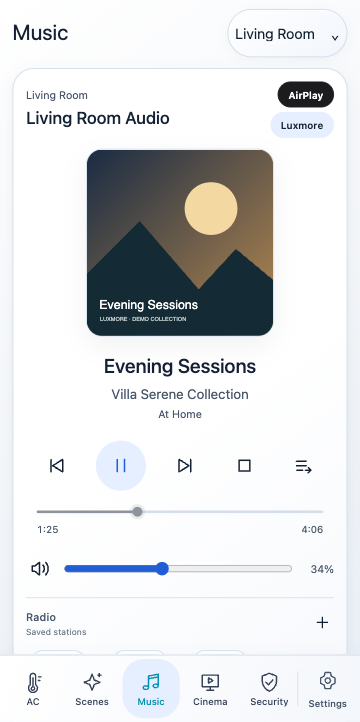
  • Cinema source gallery with one-touch start
  • Whole-home audio zones with share and group volume
  • Personal radio and service lists on every iPad
Luxmore app Apple TV page on iPad, with apps and remote
Luxmore app Music player on iPhone

Built to keep working

Your home runs at home.

Every Luxmore installation runs on its own processor, inside the house. Lights, scenes, climate and music respond instantly on your home network, even when the internet doesn't.

  • Local control, always. The P12 runs your commissioned home, so everyday control never depends on the internet.
  • Private by design. No inbound ports and no router changes. The processor only makes outbound connections.
  • Remote access when you want it. An optional subscription for control away from home, without affecting local use.
  • Cared for by your dealer. Updates and drivers are delivered securely, and support access needs your approval.
Luxmore Cloud · optional P12 Processor Lighting Climate AV & Audio Home Wi-Fi

The Luxmore app

One app for the whole family.

The same refined interface on iPad and phone. Local use is always free, and capacity grows with your household.

Store links coming soon.

Included

Local control

4 apps

  • Full control on your home network
  • iPad and phone
  • No subscription needed

Remote Access

Away from home

  • Control from anywhere
  • Yearly subscription
  • Local control is never affected

Processors

Sized for a residence, or an estate.

Smart

P12

Active loads
120
AC zones
12
Curtains
12
Audio zones
6
AV drivers
32
Integrations
4

Smart Pro

P12 · P12 Pro

Active loads
240
AC zones
35
Curtains
64
Audio zones
18
AV drivers
64
Integrations
8

Smart Server

P12 Server

Active loads
512
AC zones
256
Curtains
512
Audio zones
256
AV drivers
256
Integrations
24

Smart Custom

P12 Custom

Active loads
Unlimited
AC zones
Unlimited
Curtains
Unlimited
Audio zones
Unlimited
AV drivers
Unlimited
Integrations
Unlimited

Works with

  • Dynalite lightingPhilips Dynalite
  • Lighting & controlKNX
  • LightingLutron
  • ClimateCoolAutomation
  • CurtainsSomfy
  • TV liftsFuture Automation
  • AudioWiiM
  • AudioBluesound
  • AudioAutonomic
  • Audio DSPSymetrix
  • AudioAUDAC
  • Cinema audioFocal
  • StreamingApple TV
  • DisplaysSamsung
  • DisplaysSony
  • ProjectorsBenQ
  • ProjectorsJVC
  • ProjectorsEpson
  • ProjectorsBarco
  • CinemaKaleidescape
  • StreamingNVIDIA SHIELD
  • Disc playersOPPO
  • Control interfacesGlobal Caché
  • AV networkingNETGEAR

For dealers & installers

Design it in Studio.
Deliver it beautifully.

Luxmore dealers design, commission and care for every installation with Automation Studio and the dealer portal. Manage your team, projects, processors and licences in one place.

  • 01
    Automation Studio

    Design rooms, loads, scenes and the customer app in one canvas.

  • 02
    Dealer portal

    Installers, projects, processors, orders and licences.

  • 03
    Knowledge base

    Installation guides, driver notes and support material.

  • 04
    Remote care

    Secure, consented support and staged software updates.